Buy with Confidence – Pay When You Get Your Order. Nationwide Delivery Available Across Pakistan.

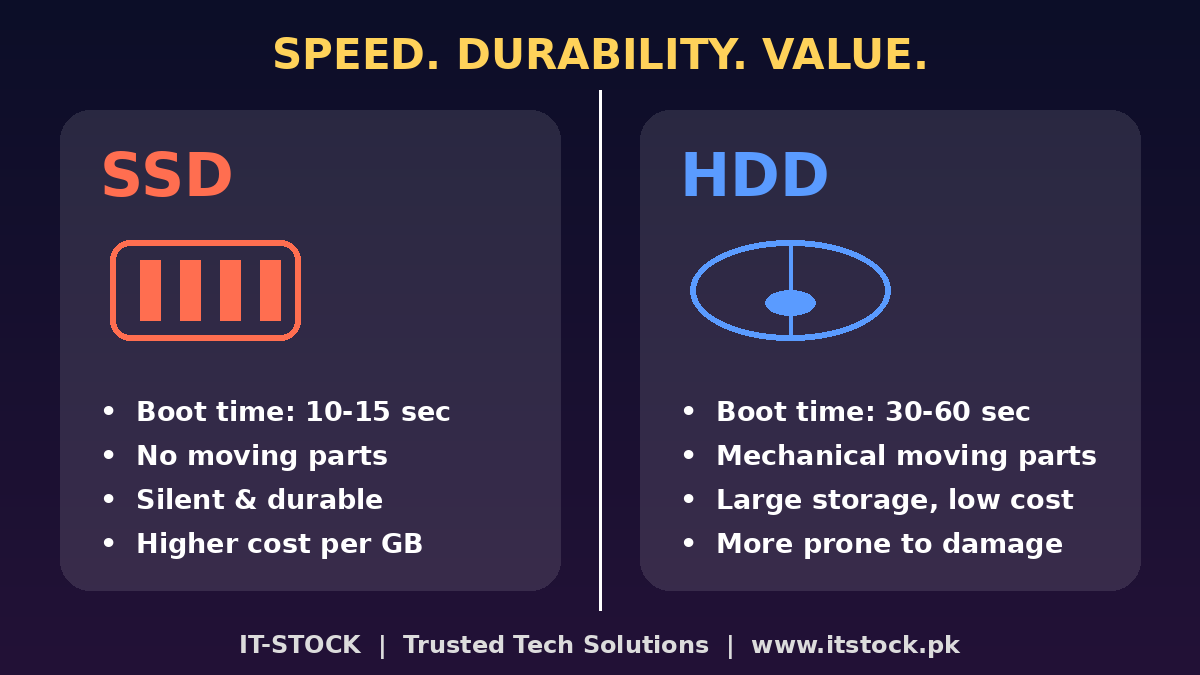
When it comes to buying a new laptop, PC, or upgrading your existing system, one of the most common questions people ask is: SSD or HDD — which one is better?
At IT-STOCK, we get this question almost every day from our customers. So here’s a complete, easy-to-understand breakdown to help you make the right choice for your budget and needs.
An SSD is a modern storage device that uses flash memory (similar to a USB drive, but much faster and more advanced) instead of spinning disks. There are no moving parts inside an SSD, which makes it faster, quieter, and more durable.
Key advantages:
An HDD is the traditional storage device that has been used in computers for decades. It stores data on spinning magnetic disks using a mechanical arm to read and write data.
Key advantages:
This is where SSDs truly shine:
Since SSDs have no moving parts, they are far more resistant to shocks, drops, and daily wear and tear — making them ideal for laptops that travel or get moved around often. HDDs, being mechanical, are more prone to damage from sudden jolts or falls.
HDDs still win when it comes to cost per GB. If you need massive storage (like 2TB or more) at a low price, HDD is the more budget-friendly option. SSDs, while more expensive per GB, have become significantly more affordable in recent years — making a small-to-medium SSD (256GB–512GB) very reasonable for most users.
| Use Case | Recommended Option |
|---|---|
| Everyday office work, browsing, Zoom/Teams calls | SSD |
| Gaming (faster load times) | SSD |
| Video editing / heavy multitasking | SSD (or SSD + HDD combo) |
| Budget-friendly bulk storage / backups | HDD |
| Old laptop feeling slow? | Upgrade to SSD — instant speed boost |
| Best of both worlds | SSD for OS + programs, HDD for storage |
For most home and office users in Pakistan, we recommend going with an SSD as your primary drive — the performance difference is night and day, especially if you’re still using an old laptop with a traditional HDD. If you need extra storage for videos, backups, or large files, you can always pair it with an HDD for the best of both worlds.
Don’t stress over the technical details — let the experts handle it for you! At IT-STOCK, we help customers across Pakistan find the perfect SSD, HDD, or laptop upgrade that fits their budget and needs — with genuine Grade A quality, honest pricing, and full after-sales support.
📲 WhatsApp us now at 0335 4878625 and let’s find the perfect storage solution for you — fast, reliable, and hassle-free delivery anywhere in Pakistan!
Walk-in Store: Blue Area, Islamabad | Nationwide Delivery | Cash on Delivery
🌐 Visit us at www.itstock.pk
100% original, ensuring top quality and reliability.
Enjoy peace of mind with our 7-day product warranty.
Fast and secure delivery across Pakistan.
Choose from COD or bank transfer for convenience.
Your trusted tech hub for reliable used laptops, offering unbeatable quality, affordability, and trust for all your tech needs.
+92 305 4878625
